Category Archives: Cisco

(UPDATED) Best Blade Server for VMware Is…

(Updated to include links to results)

I’ve had a few questions lately about “the best” blade server to use for virtualization – specifically VMware virtualization. While the obvious answer is “it depends”, I thought it would be an interesting approach to identify the blade servers that ranked in the top 5 in VMware’s VMmark benchmark.  Before I begin, let me explain what the VMmark testing is about.   Continue reading

Rumour? New 8 Port Cisco Fabric Extender for UCS

I recently heard a rumour that Cisco was coming out with an 8 port Fabric Extender (FEX) for the UCS 5108, so I thought I’d take some time to see what this would look like.  NOTE: this is purely speculation, I have no definitive information from Cisco so this may be false info.

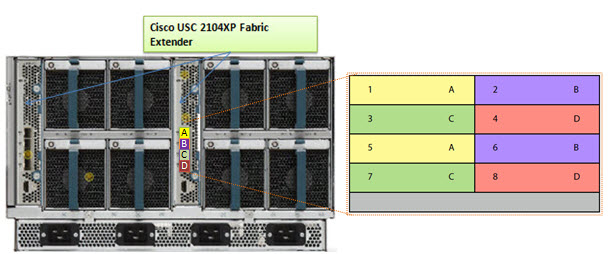
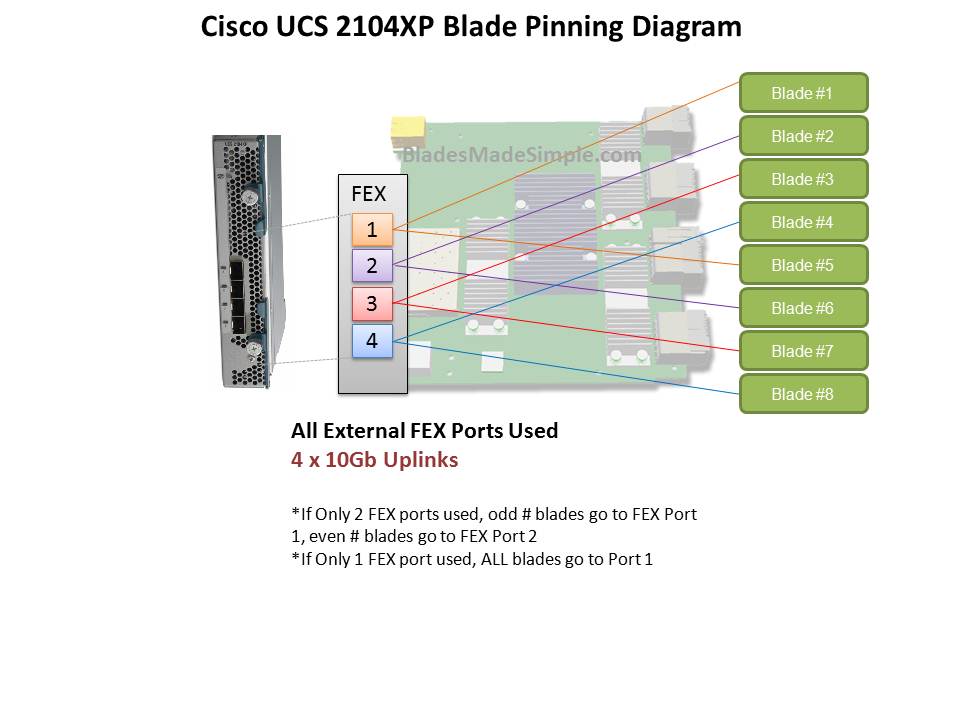
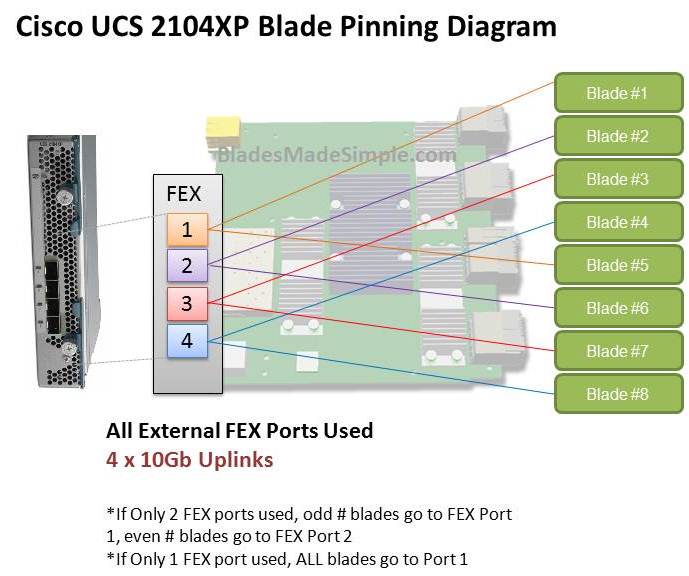
Before we discuss the 8 port FEX, let’s take a look at the 4 port UCS 2140XP FEX and how the blade servers connect, or “pin” to them.  The diagram below shows a single FEX.  A single UCS 2140XP FEX has 4 x 10Gb uplinks to the 6100 Fabric Interconnect Module.  The UCS 5108 chassis has 2 FEX per chassis, so each server would have a 10Gb connection per FEX.  However, as you can see, the server shares that 10Gb connection with another blade server.  I’m not an I/O guy, so I can’t say whether or not having 2 servers connect to the same 10Gb uplink port would cause problems, but simple logic would tell me that two items competing for the same resource “could” cause contention.  If you decide to only connect 2 of the 4 external FEX ports, then you have all of the “odd #” blade servers connecting to port 1 and all of the “even # blades” connecting to port 2.  Now you are looking at a 4 servers contending for 1 uplink port.  Of course, if you only connect 1 external uplink, then you are looking at all 8 servers using 1 uplink port.

Introducing the 8 Port Fabric Extender (FEX)
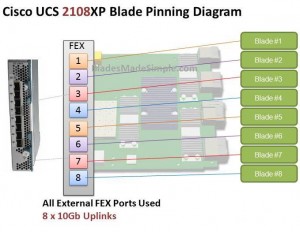
I’ve looked around and can’t confirm if this product is really coming or not, but I’ve heard a rumour that there is going to be an 8 port version of the UCS 2100 series Fabric Extender.  I’d imagine it would be the UCS 2180XP Fabric Extender and the diagram below shows what I picture it would look like.  The biggest advantage I see of this design would be that each server would have a dedicated uplink port to the Fabric Interconnect.  That being said, if the existing 20 and 40 port Fabric Interconnects remain, this 8 port FEX design would quickly eat up the available ports on the Fabric Interconnect switches since the FEX ports directly connect to the Fabric Interconnect ports.  So – does this mean there is also a larger 6100 series Fabric Interconnect on the way?  I don’t know, but it definitely seems possible.

What do you think of this rumoured new offering?  Does having a 1:1 blade server to uplink port matter or is this just more

New Cisco Blade Server: B440-M1

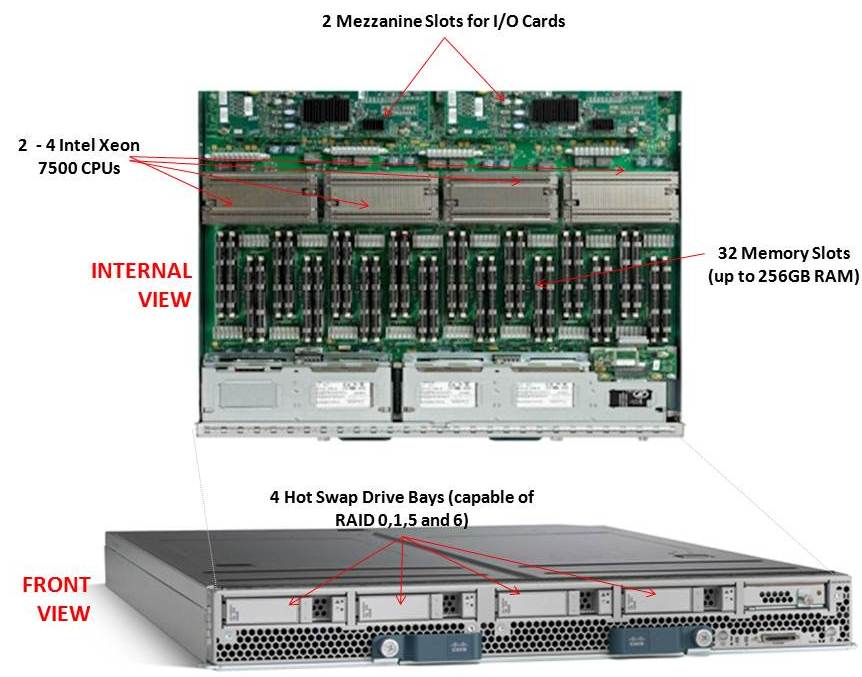
Cisco recently announced their first blade offering with the Intel Xeon 7500 processor, known as the “Cisco UCS B440-M1 High-Performance Blade Server.”  This new blade is a full-width blade that offers 2 – 4 Xeon 7500 processors and 32 memory slots, for up to 256GB RAM, as well as 4 hot-swap drive bays.  Since the server is a full-width blade, it will have the capability to handle 2 dual-port mezzanine cards for up to 40 Gbps I/O per blade. 

Each Cisco UCS 5108 Blade Server Chassis can house up to four B440 M1 servers (maximum 160 per Unified Computing System). 

How Does It Compare to the Competition?
Since I like to talk about all of the major blade server vendors, I thought I’d take a look at how the new Cisco B440 M1 compares to IBM and Dell.  (HP has not yet announced their Intel Xeon 7500 offering.)

Processor Offering
Both Cisco and Dell offer models with 2 – 4 Xeon 7500 CPUs as standard.  They each have variations on speeds – Dell has 9 processor speed offerings; Cisco hasn’t released their speeds and IBM’s BladeCenter HX5 blade server will have 5 processor speed offerings initially.  With all 3 vendors’ blades, however, IBM’s blade server is the only one that is designed to scale from 2 CPUs to 4 CPUs by connecting 2 x HX5 blade servers.  Along with this comes their “FlexNode” technology that enables users to have the 4 processor blade system to split back into 2 x 2 processor systems at specific points during the day.  Although not announced, and purely my speculation, IBM’s design also leads to a possible future capability of connecting 4 x 2 processor HX5’s for an 8-way design.  Since each of the vendors offer up to 4 x Xeon 7500’s, I’m going to give the advantage in this category to IBM.  WINNER: IBM

Memory Capacity
Both IBM and Cisco are offering 32 DIMM slots with their blade solutions, however they are not certifying the use of 16GB DIMMs – only 4GB and 8GB DIMMs, therefore their offering only scales to 256GB of RAM.  Dell claims to offers 512GB DIMM capacity on their the PowerEdge 11G M910 blade server, however that is using 16GB DIMMs.  REalistically, I think the M910 would only be used with 8GB DIMMs, so Dell’s design would equal IBM and Cisco’s.  I’m not sure who has the money to buy 16GB DIMMs, but if they do – WINNER: Dell (or a TIE)

Server Density
As previously mentioned, Cisco’s B440-M1 blade server is a “full-width” blade so 4 will fit into a 6U high UCS5100 chassis.  Theoretically, you could fit 7 x UCS5100 blade chassis into a rack, which would equal a total of 28 x B440-M1’s per 42U rack.
Overall, Cisco’s new offering is a nice addition to their existing blade portfolio.  While IBM has some interesting innovation in CPU scalability and Dell appears to have the overall advantage from a server density, Cisco leads the management front. 

Dell’s PowerEdge 11G M910 blade server is a “full-height” blade, so 8 will fit into a 10u high M1000e chassis.  This means that 4 x M1000e chassis would fit into a 42u rack, so 32 x Dell PowerEdge M910 blade servers should fit into a 42u rack.

IBM’s BladeCenter HX5 blade server is a single slot blade server, however to make it a 4 processor blade, it would take up 2 server slots.  The BladeCenter H has 14 server slots, so that makes the IBM solution capable of holding 7 x 4 processor HX5 blade servers per chassis.  Since the chassis is a 9u high chassis, you can only fit 4 into a 42u rack, therefore you would be able to fit a total of 28 IBM HX5 (4 processor) servers into a 42u rack.
WINNER: Dell

Management
The final category I’ll look at is the management.  Both Dell and IBM have management controllers built into their chassis, so management of a lot of chassis as described above in the maximum server / rack scenarios could add some additional burden.  Cisco’s design, however, allows for the management to be performed through the UCS 6100 Fabric Interconnect modules.  In fact, up to 40 chassis could be managed by 1 pair of 6100’s.  There are additional features this design offers, but for the sake of this discussion, I’m calling WINNER: Cisco.

Cisco’s UCS B440 M1 is expected to ship in the June time frame.  Pricing is not yet available.  For more information, please visit Cisco’s UCS web site at http://www.cisco.com/en/US/products/ps10921/index.html.

IBM BladeCenter H vs Cisco UCS

(From the Archives – September 2009)

News Flash: Cisco is now selling servers!

Okay – perhaps this isn’t news anymore, but the reality is Cisco has been getting a lot of press lately – from their overwhelming presence at VMworld 2009 to their ongoing cat fight with HP. Since I work for a Solutions Provider that sells HP, IBM and now Cisco blade servers, I figured it might be good to “try” and put together a comparison between the Cisco and IBM. Why IBM? Simply because at this time, they are the only blade vendor who offers a Converged Network Adapter (CNA) that will work with the Cisco Nexus 5000 line. At this time Dell and HP do not offer a CNA for their blade server line so IBM is the closest we can come to Cisco’s offering. I don’t plan on spending time educating you on blades, because if you are interested in this topic, you’ve probably already done your homework. My goal with this post is to show the pros (+) and cons (-) that each vendor has with their blade offering – based on my personal, neutral observation

Chassis Variety / Choice: winner in this category is IBM.
IBM currently offers 5 types of blade chassis: BladeCenter S, BladeCenter E, BladeCenter H, BladeCenter T and BladeCenter HT. Each of the IBM blade chassis have unique offerings, such as the BladeCenter S is designed for small or remote offices with local storage capabilities, whereas the BladeCenter HT is designed for Telco environments with options for NEBS compliant features including DC power. At this time, Cisco only offers a single blade chassis offering (the 5808).

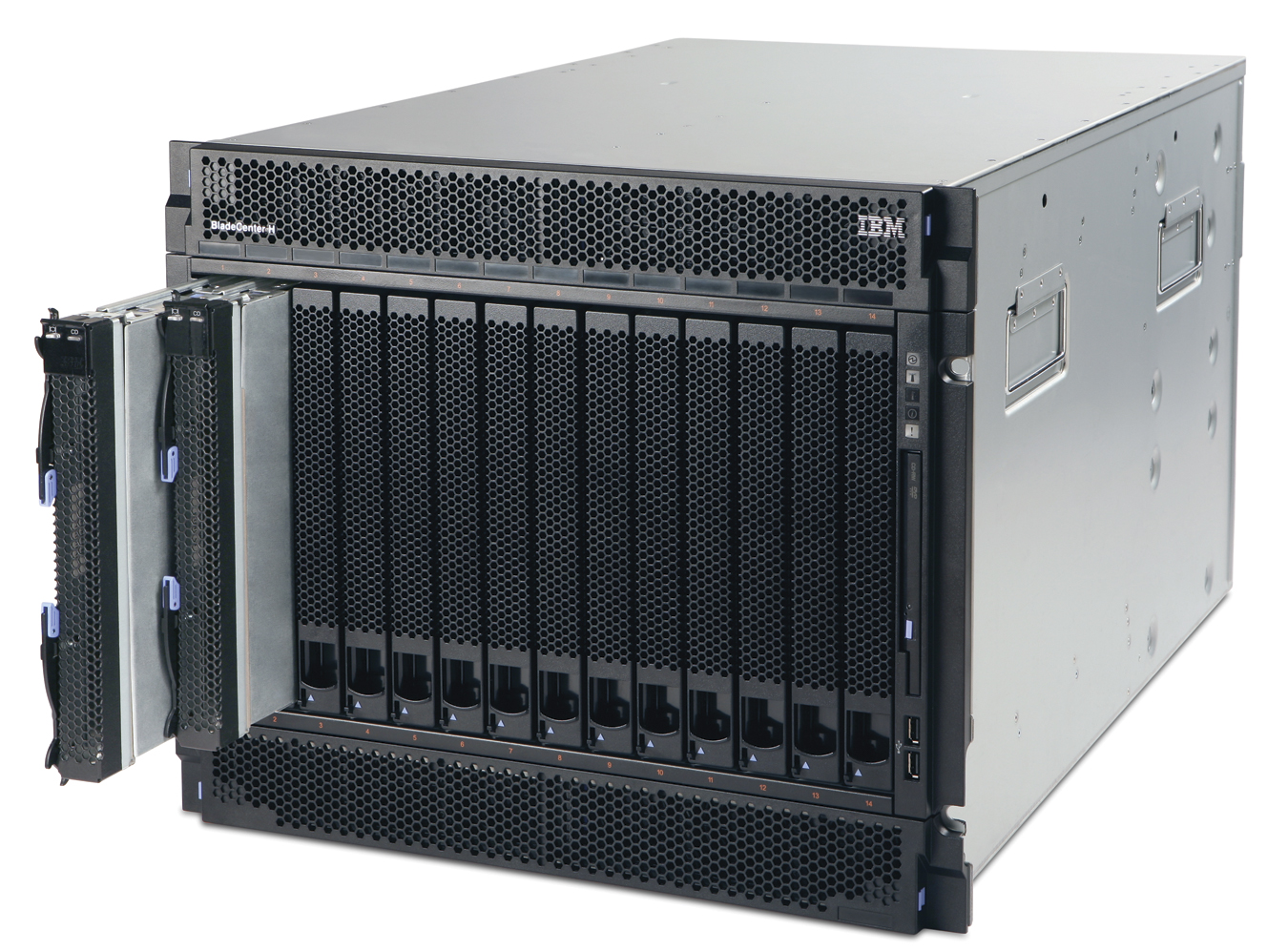
IBM BladeCenter H

IBM BladeCenter H

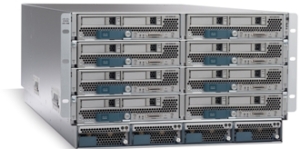
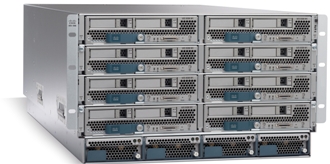
Cisco UCS 5108

Cisco UCS 5108

Server Density and Server Offerings: winner in this category is IBM. IBM’s BladeCenter E and BladeCenter H chassis offer up to 14 blade servers with servers using Intel, AMD and Power PC processors. In comparison, Cisco’s 5808 chassis offers up to 8 server slots and currently offers servers with Intel Xeon processors. As an honorable mention Cisco does offer a “full width” blade (Cisco UCS B250 server) that provides up to 384Gb of RAM in a single blade server across 48 memory slots offering up the ability to get to higher memory at a lower price point.

 Management / Scalability: winner in this category is Cisco.
This is where Cisco is changing the blade server game. The traditional blade server infrastructure calls for each blade chassis to have its own dedicated management module to gain access to the chassis’ environmentals and to remote control the blade servers. As you grow your blade chassis environment, you begin to manage multiple servers.
Beyond the ease of managing , the management software that the Cisco 6100 series offers provides users with the ability to manage server service profiles that consists of things like MAC Addresses, NIC Firmware, BIOS Firmware, WWN Addresses, HBA Firmware (just to name a few.)

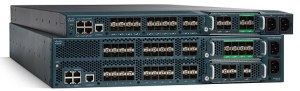
Cisco UCS 6100 Series Fabric Interconnect

Cisco UCS 6100 Series Fabric Interconnect

With Cisco’s UCS 6100 Series Fabric Interconnects, you are able to manage up to 40 blade chassis with a single pair of redundant UCS 6140XP (consisting of 40 ports.)

If you are familiar with the Cisco Nexus 5000 product, then understanding the role of the Cisco UCS 6100 Fabric Interconnect should be easy. The UCS 6100 Series Fabric Interconnect do for the Cisco UCS servers what Nexus does for other servers: unifies the fabric. HOWEVER, it’s important to note the UCS 6100 Series Fabric Interconnect is NOT a Cisco Nexus 5000. The UCS 6100 Series Fabric Interconnect is only compatible with the UCS servers.

UCS Diagram

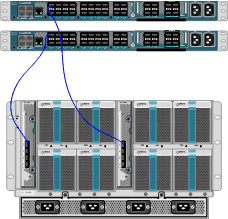
Cisco UCS I/O Connectivity Diagram (UCS 5108 Chassis with 2 x 6120 Fabric Interconnects)

If you have other servers, with CNAs, then you’ll need to use the Cisco Nexus 5000.

The diagram on the right shows a single connection from the FEX to the UCS 6120XP, however the FEX has 4 uplinks, so if you want (need) more throughput, you can have it. This design provides each half-wide Cisco B200 server with the ability to have 2

CNA ports with redundant pathways. If you are satisified with using a single FEX connection per chassis, then you have the ability to scale up to 20 x blade chassis with a Cisco UCS 6120 Fabric Interconnect, or 40 chassis with the Cisco UCS 6140 Fabric Interconnect. As hinted in the previous section, the management software for the all connected UCS chassis resides in the redundant Cisco UCS 6100 Series Fabric Interconnects. This design offers a highly scaleable infrastructure that enables you to scale simply by dropping in a chassis and connecting the FEX to the 6100 switch. (Kind of like Lego blocks.)

On the flip side, while this architecture is simple, it’s also limited. There is currently no way to add additional I/O to an individual server. You get 2 x CNA ports per Cisco B200 server or 4 x CNA ports per Cisco B250 server.

As previously mentioned, IBM has a strategy that is VERY similar to the Cisco UCS strategy using the Cisco Nexus 5000 product line with pass-thru modules. IBM’s solution consists of:

  • IBM BladeCenter H Chassis
  • 10Gb Pass-Thru Module
  • CNA’s on the blade servers

Even though IBM and Cisco designed the Cisco Nexus 4001i  switch that integrates into the IBM BladeCenter H chassis, using a 10Gb pass-thru module “may” be the best option to get true DataCenter Ethernet (or Converged Enhanced Ethernet) from the server to the Nexus switch – especially for users looking for the lowest cost. The performance for the IBM solution should equal the Cisco UCS design, since it’s just passing the signal through, however the connectivity is going to be more with the IBM solution. Passing signals through means NO cable

BladeCenter H Diagram with Nexus 5010 (using 10Gb Passthru Modules)

BladeCenter H Diagram with Nexus 5010 (using 10Gb Passthru Modules)

consolidation – for every server you’re going to need a connection to the Nexus 5000. For a fully populated IBM BladeCenter H chassis, you’ll need 14 connections to the Cisco Nexus 5000. If you are using the Cisco 5010 (20 ports) you’ll eat up all but 6 ports. Add a 2nd IBM BladeCenter chassis and you’re buying more Cisco Nexus switches. Not quite the scaleable design that the Cisco UCS offers.

IBM also offers a 10Gb Ethernet Switch Option from BNT (Blade Networks) that will work with converged switches like the Nexus 5000, but at this time that upgrade is not available. Once it does become available, it would reduce the connectivity requirements down to a single cable, but, adding a switch between the blade chassis and the Nexus switch could bring additional management complications. Let me know your thoughts on this.

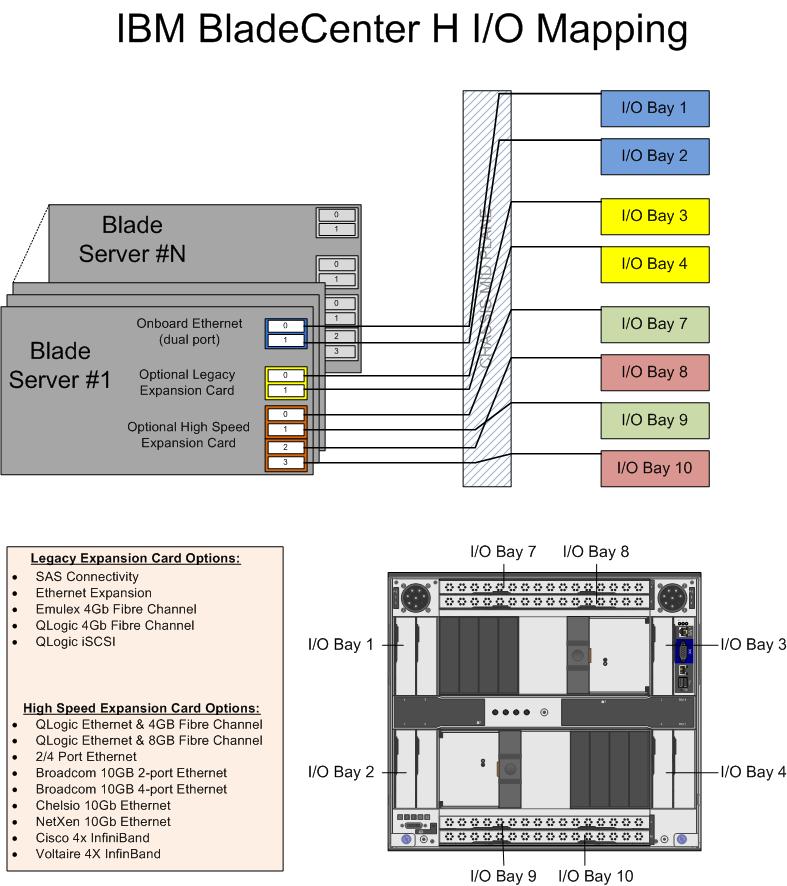
IBM’s BladeCenter H (BCH) does offer something that Cisco doesn’t – additional I/O expansion. Since this solution uses two of the high speed bays in the BCH, bays 1, 2, 3 & 4 remain available. Bays 1 & 2 are mapped to the onboard NICs on each server, and bays 3&4 are mapped to the 1st expansion card on each server. This means that 2 additional NICs and 2 additional HBAs (or NICs) could be added in conjunction with the 2 CNAs on each server. Based on this, IBM potentially offers more I/O scalability.

And the Winner Is…

It depends. I love the concept of the Cisco UCS platform. Servers are seen as processors and memory – building blocks that are centrally managed. Easy to scale, easy to size. However, is it for the average datacenter who only needs 5 servers with high I/O? Probably not. I see the Cisco UCS as a great platform for datacenters with more than 14 servers needing high I/O bandwidth (like a virtualization server or database server.) If your datacenter doesn’t need that type of scalability, then perhaps going with IBM’s BladeCenter solution is the choice for you. Going the IBM route gives you flexibility to choose from multiple processor types and gives you the ability to scale into a unified solution in the future. While ideal for scalability, the IBM solution is currently more complex and potentially more expensive than the Cisco UCS solution.

Let me know what you think. I welcome any comments.

maple grove community center
world population clock
isp speed test
breast cancer symptoms
home decorators coupon

Cisco, IBM and HP Update Blade Portfolio with Westmere Processor

Intel officially announced today the Xeon 5600 processor, code named “Westmere.” Cisco, HP and IBM also announced their blade servers that have the new processor. The Intel Xeon 5600 offers:

  • 32nm process technology with 50% more threads and cache
  • Improved energy efficiency with support for 1.35V low power memory

There will be 4 core and 6 core offerings. This processor also provide the option of HyperThreading, so you could have up to 8 threads and 12 threads per processor, or 16 and 24 in a dual CPU system. This will be a huge advantage to applications that like multiple threads, like virtualization. Here’s a look at what each vendor has come out with:

Cisco
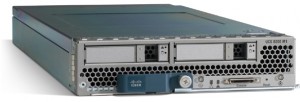
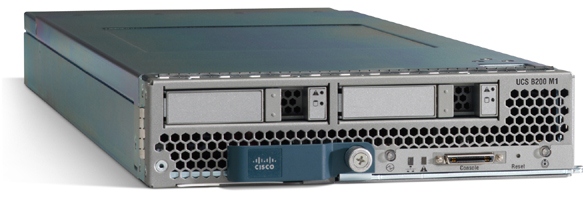
Cisco B200 blade serverThe B200 M2 provides Cisco users with the current Xeon 5600 processors. It looks like Cisco will be offering a choice of the following Xeon 5600 processors: Intel Xeon X5670, X5650, E5640, E5620, L5640, or E5506. Because Cisco’s model is a “built-to-order” design, I can’t really provide any part numbers, but knowing what speeds they have should help.

HP
HP is starting off with the Intel Xeon 5600 by bumping their existing G6 models to include the Xeon 5600 processor. The look, feel, and options of the blade servers will remain the same – the only difference will be the new processor. According to HP, “the HP ProLiant G6 platform, based on Intel Xeon 5600 processors, includes the HP ProLiant BL280c, BL2x220c, BL460c and BL490c server blades and HP ProLiant WS460c G6 workstation blade for organizations requiring high density and performance in a compact form factor. The latest HP ProLiant G6 platforms will be available worldwide on March 29.It appears that HP’s waiting until March 29 to provide details on their Westmere blade offerings, so don’t go looking for part numbers or pricing on their website.

IBM
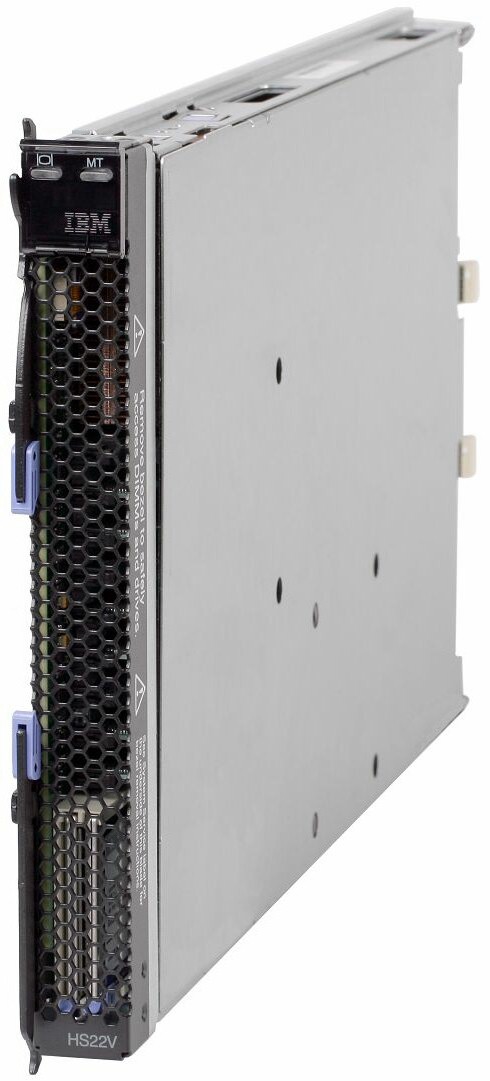
IBM is continuing to stay ahead of the game with details about their product offerings. They’ve refreshed their HS22 and HS22v blade servers:
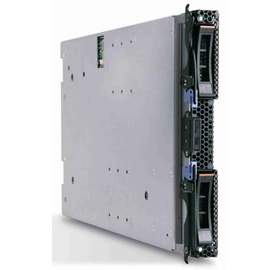
HS22
7870ECU – Express HS22, 2x Xeon 4C X5560 95W 2.80GHz/1333MHz/8MB L2, 4x2GB, O/Bay 2.5in SAS, SR MR10ie

7870G4U – HS22, Xeon 4C E5640 80W 2.66GHz/1066MHz/12MB, 3x2GB, O/Bay 2.5in SAS

7870GCU – HS22, Xeon 4C E5640 80W 2.66GHz/1066MHz/12MB, 3x2GB, O/Bay 2.5in SAS, Broadcom 10Gb Gen2 2-port

7870H2U -HS22, Xeon 6C X5650 95W 2.66GHz/1333MHz/12MB, 3x2GB, O/Bay 2.5in SAS

7870H4U – HS22, Xeon 6C X5670 95W 2.93GHz/1333MHz/12MB, 3x2GB, O/Bay 2.5in SAS

7870H5U – HS22, Xeon 4C X5667 95W 3.06GHz/1333MHz/12MB, 3x2GB, O/Bay 2.5in SAS

7870HAU – HS22, Xeon 6C X5650 95W 2.66GHz/1333MHz/12MB, 3x2GB, O/Bay 2.5in SAS, Emulex Virtual Fabric Adapter

7870N2U – HS22, Xeon 6C L5640 60W 2.26GHz/1333MHz/12MB, 3x2GB, O/Bay 2.5in SAS

7870EGU – Express HS22, 2x Xeon 4C E5630 80W 2.53GHz/1066MHz/12MB, 6x2GB, O/Bay 2.5in SAS
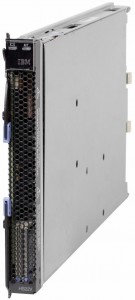
IBM HS22V Blade ServerHS22V
7871G2U HS22V, Xeon 4C E5620 80W 2.40GHz/1066MHz/12MB, 3x2GB, O/Bay 1.8in SAS

7871G4U HS22V, Xeon 4C E5640 80W 2.66GHz/1066MHz/12MB, 3x2GB, O/Bay 1.8in SAS

7871GDU HS22V, Xeon 4C E5640 80W 2.66GHz/1066MHz/12MB, 3x2GB, O/Bay 1.8in SAS

7871H4U HS22V, Xeon 6C X5670 95W 2.93GHz/1333MHz/12MB, 3x2GB, O/Bay 1.8in SAS

7871H5U HS22V, Xeon 4C X5667 95W 3.06GHz/1333MHz/12MB, 3x2GB, O/Bay 1.8in SAS

7871HAU HS22V, Xeon 6C X5650 95W 2.66GHz/1333MHz/12MB, 3x2GB, O/Bay 1.8in SAS

7871N2U HS22V, Xeon 6C L5640 60W 2.26GHz/1333MHz/12MB, 3x2GB, O/Bay 1.8in SAS

7871EGU Express HS22V, 2x Xeon 4C E5640 80W 2.66GHz/1066MHz/12MB, 6x2GB, O/Bay 1.8in SAS

7871EHU Express HS22V, 2x Xeon 6C X5660 95W 2.80GHz/1333MHz/12MB, 6x4GB, O/Bay 1.8in SAS

I could not find any information on what Dell will be offering, from a blade server perspective, so if you have information (that is not confidential) feel free send it my way.
4 Socket Blade Servers Density: Vendor Comparison

IMPORTANT NOTE – I updated this blog post on Feb. 28, 2011 with better details.  To view the updated blog post, please go to:

https://bladesmadesimple.com/2011/02/4-socket-blade-servers-density-vendor-comparison-2011/

Original Post (March 10, 2010):

As the Intel Nehalem EX processor is a couple of weeks away, I wonder what impact it will have in the blade server market.  I’ve been talking about IBM’s HX5 blade server for several months now, so it is very clear that the blade server vendors will be developing blades that will have some iteration of the Xeon 7500 processor.  In fact, I’ve had several people confirm on Twitter that HP, Dell and even Cisco will be offering a 4 socket blade after Intel officially announces it on March 30.  For today’s post, I wanted to take a look at how the 4 socket blade space will impact the overall capacity of a blade server environment.  NOTE: this is purely speculation, I have no definitive information from any of these vendors that is not already public.

The Cisco UCS 5108 chassis holds 8 “half-width” B-200 blade servers or 4 “full-width” B-250 blade servers, so when we guess at what design Cisco will use for a 4 socket Intel Xeon 7500 (Nehalem EX) architecture, I have to place my bet on the full-width form factor.  Why?  Simply because there is more real estate.  The Cisco B250 M1 blade server is known for its large memory capacity, however Cisco could sacrifice some of that extra memory space for a 4 socket, “Cisco B350 blade.  This would provide a bit of an issue for customers wanting to implement a complete rack full of these servers, as it would only allow for a total of 28 servers in a 42U rack (7 chassis x 4 servers per chassis.)

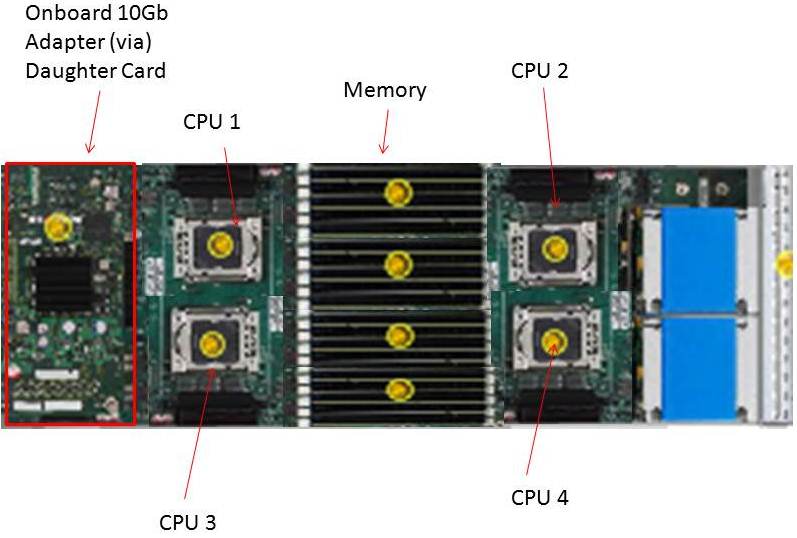
Estimated Cisco B300 with 4 CPUs

On the other hand, Cisco is in a unique position in that their half-width form factor also has extra real estate because they don’t have 2 daughter card slots like their competitors.  Perhaps Cisco would create a half-width blade with 4 CPUs (a B300?)  With a 42U rack, and using a half-width design, you would be able to get a maximum of 56 blade servers (7 chassis x 8 servers per chassis.)

Dell
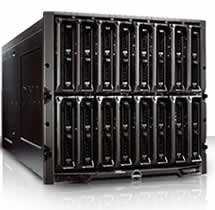
The 10U M1000e chassis from Dell can currently handle 16 “half-height” blade servers or 8 “full height” blade servers.  I don’t forsee any way that Dell would be able to put 4 CPUs into a half-height blade.  There just isn’t enough room.  To do this, they would have to sacrifice something, like memory slots or a daughter card expansion slot, which just doesn’t seem like it is worth it.  Therefore, I predict that Dell’s 4 socket blade will be a full-height blade server, probably named a PowerEdge M910.  With this assumption, you would be able to get 32 blade servers in a 42u rack (4 chassis x 8 blades.) 

HP
Similar to Dell, HP’s 10U BladeSystem c7000 chassis can currently handle 16 “half-height” blade servers or 8 “full height” blade servers.  I don’t forsee any way that HP would be able to put 4 CPUs into a half-height blade.  There just isn’t enough room.  To do this, they would have to sacrifice something, like memory slots or a daughter card expansion slot, which just doesn’t seem like it is worth it.  Therefore, I predict that HP’s 4 socket blade will be a full-height blade server, probably named a Proliant BL680 G7 (yes, they’ll skip G6.)  With this assumption, you would be able to get 32 blade servers in a 42u rack (4 chassis x 8 blades.) 

IBM
Finally, IBM’s 9U BladeCenter H chassis offers up 14 servers.  IBM has one size server, called a “single wide.”  IBM will also have the ability to combine servers together to form a “double-wide”, which is what is needed for the newly announced IBM BladeCenter HX5.  A double-width blade server reduces the IBM BladeCenter’s capacity to 7 servers per chassis.  This means that you would be able to put 28 x 4 socket IBM HX5 blade servers into a 42u rack (4 chassis x 7 servers each.)

Summary
In a tie for 1st place, at 32 blade servers in a 42u rack, Dell and HP would have the most blade server density based on their existing full-height blade server design.  IBM and Cisco would come in at 3rd place with 28 blade servers in a 42u rack..  However IF Cisco (or HP and Dell for that matter) were able to magically re-design their half-height servers to hold 4 CPUs, then they would be able to take 1st place for blade density with 56 servers. 

Yes, I know that there are slim chances that anyone would fill up a rack with 4 socket servers, however I thought this would be good comparison to make.  What are your thoughts?  Let me know in the comments below.

Tolly Report: HP Flex-10 vs Cisco UCS (Network Bandwidth Scalability Comparison)

Tolly.com announced on 2/25/2010 a new Test Report that compares the network bandwidth scalability between HP BladeSystem c7000 with BL460 G6 Servers and Cisco UCS 5100 with B200 Servers, and the results were interesting.   The report simply tested 6 HP blades, with a single Flex-10 Module vs 6 Cisco blades using their Fabric Extender + a single Fabric Interconnect.  I’m not going to try and re-state what the report says (for that you can download it directly), instead, I’m going to highlight the results.  It is important to note that the report was “commissioned by Hewlett-Packard Dev. Co, L.P.”

Result #1:  HP BladeSystem C7000 with a Flex-10 Module Tested to have More Aggregate Server Throughput (Gbps) over the Cisco UCS with a Fabric Extender connected to a Fabric Interconnect in a Physical-to-Physical Comparison
>The test shows when 4 physical servers were tested, Cisco can achieve an aggregate throughput of 36.59 Gbps vs HP achieving 35.83Gbps (WINNER: Cisco)

>When 6 physical servers were tested, Cisco achieved an aggregate throughput of 27.37 Gbps vs HP achieving 53.65 Gbps – a difference of 26.28 Gbps (WINNER: HP)

Result #2:
 HP BladeSystem C7000 with a Flex-10 Module Tested to have More Aggregate Server Throughput (Gbps) over the Cisco UCS with a Fabric Extender connected to a Fabric Interconnect in a Virtual-to-Virtual Comparison
>Testing 2 servers each running 8 VMware Red Hat Linux hosts showed that HP achieved an aggregate throughput of 16.42 Gbps vs Cisco UCS achieving 16.70 Gbps (WINNER: Cisco). 

The results of the above was performed with the 2 x Cisco B200 blade servers each mapped to a dedicated 10Gb uplink port on the Fabric Extender (FEX).  When the 2 x Cisco B200 blade servers were designed to share the same 10Gb uplink port on the FEX, the achieved aggregate throughput on the Cisco UCS decreased to 9.10 Gbps.

A few points to note about these findings:
a) the HP Flex-10 Module has 8 x 10Gb uplinks whereas the Cisco Fabric Extender (FEX) has 4 x 10Gb uplinks

b) Cisco’s FEX Design allows for the 8 blade servers to extend out the 4 external ports in the FEX a 2:1 ratio (2 blades per external FEX port.) The current Cisco UCS design requires the servers to be “pinned”, or permanently assigned, to the respective FEX uplink. This works well when there are 4 blade servers, but when you get to more than 4 blade servers, the traffic is shared between two servers, which could cause bandwidth contention. 

 Furthermore, it’s important to understand that the design of the UCS blade infrastructure does not allow communication to go from Server 1 to Server 2 without leaving the FEX, connecting to the Fabric Interconnect (top of the picture) then returning to the FEX and connecting to the server.  This design is the potential cause of the decrease in aggregate throughput from 16.70Gbps to 9.10Gbps as shown above.


One of the “Bottom Line” conclusions from this report states, “throughput degradation on the Cisco UCS cased by bandwidth contention is a cause of concern for customers considering the use of UCS in a virtual server environment”  however I encourage you to take a few minutes, download this full report from the Tolly.com website and make your own conclusions about this report. 

Let me know your thoughts about this report – leave a comment below.

Disclaimer: This report was brought to my attention while attending the HP Tech Day event where airfare, accommodations and meals are being provided by HP, however the content being blogged is solely my opinion and does not in anyway express the opinions of HP.

More HP and IBM Blade Rumours

I wanted to post a few more rumours before I head out to HP in Houston for “HP Blades and Infrastructure Software Tech Day 2010” so it’s not to appear that I got the info from HP. NOTE: this is purely speculation, I have no definitive information from HP so this may be false info.

First off – the HP Rumour:
I’ve caught wind of a secret that may be truth, may be fiction, but I hope to find out for sure from the HP blade team in Houston.  The rumour is that HP’s development team currently has a Cisco Nexus Blade Switch Module for the HP BladeSystem in their lab, and they are currently testing it out.

Now, this seems far fetched, especially with the news of Cisco severing partner ties with HP, however, it seems that news tidbit was talking only about products sold with the HP label, but made by Cisco (OEM.)   HP will continue to sell Cisco Catalyst switches for the HP BladeSystem and even Cisco branded Nexus switches with HP part numbers (see this HP site for details.)  I have some doubt about this rumour of a Cisco Nexus Switch that would go inside the HP BladeSystem simply because I am 99% sure that HP is announcing a Flex10 type of BladeSystem switch that will allow converged traffic to be split out, with the Ethernet traffic going to the Ethernet fabric and the Fibre traffic going to the Fibre fabric (check out this rumour blog I posted a few days ago for details.)  Guess only time will tell.

The IBM Rumour:
I posted a few days ago a rumour blog that discusses the rumour of HP’s next generation adding Converged Network Adapters (CNA) to the motherboard on the blades (in lieu of the 1GB or Flex10 NICs), well, now I’ve uncovered a rumour that IBM is planning on following later this year with blades that will also have CNA’s on the motherboard.  This is huge!  Let me explain why.

The design of IBM’s BladeCenter E and BladeCenter H have the 1Gb NICs onboard each blade server hard-wired to I/O Bays 1 and 2 – meaning only Ethernet modules can be used in these bays (see the image to the left for details.)  However, I/O Bays 1 and 2 are for “standard form factor I/O modules” while I/O Bays are for “high speed form factor I/O modules”.  This means that I/O Bays 1 and 2 can not handle “high speed” traffic, i.e. converged traffic.

This means that IF IBM comes out with a blade server that has a CNA on the motherboard, either:

a) the blade’s CNA will have to route to I/O Bays 7-10
OR
b) IBM’s going to have to come out with a new BladeCenter chassis that allows the high speed converged traffic from the CNAs to connect to a high speed switch module in Bays 1 and 2.

So let’s think about this.  If IBM (and HP for that matter) does put CNA’s on the motherboard, is there a need for additional mezzanine/daughter cards?  This means the blade servers could have more real estate for memory, or more processors.   If there’s no extra daughter cards, then there’s no need for additional I/O module bays.  This means the blade chassis could be smaller and use less power – something every customer would like to have.

I can really see the blade market moving toward this type of design (not surprising very similar to Cisco’s UCS design) – one where only a pair of redundant “modules” are needed to split converged traffic to their respective fabrics.  Maybe it’s all a pipe dream, but when it comes true in 18 months, you can say you heard it here first.

Thanks for reading.  Let me know your thoughts – leave your comments below.

10 Things That Cisco UCS Polices Can Do (That IBM, Dell or HP Can’t)

ViewYonder.com recently posted a great write up on some things that Cisco’s UCS can do that IBM, Dell or HP really can’t. You can go to ViewYonder.com to read the full article, but here are 10 things that Cisco’s UCS Polices do:

  • Chassis Discovery – allows you to decide how many links you should use from the FEX (2104) to the FI (6100).  This affects the path from blades to FI and the oversubscription rate.  If you’ve cabled 4 I can just use 2 if you want, or even 1.
  • MAC Aging – helps you manage your MAC table?  This affects ability to scale, as bigger MAC tables need more management.
  • Autoconfig – when you insert a blade, depending on its hardware config enables you to apply a specific template for you and put it in a organization automatically.
  • Inheritence – when you insert a blade, allows you to automatically create a logical version (Service Profile) by coping the UUID, MAC, WWNs etc.
  • vHBA Templates – helps you to determine how you want _every_ vmhba2 to look like (i.e. Fabric,  VSAN,  QoS, Pin to a border port)
  • Dynamic vNICs – helps you determine how to distribute the VIFs on a VIC
  • Host Firmware – enables you to determine what firmware to apply to the CNA, the HBA, HBA ROM, BIOS, LSI
  • Scrub – provides you with the ability to wipe the local disks on association
  • Server Pool Qualification – enables you to determine which hardware configurations live in which pool
  • vNIC/vHBA Placement – helps you to determine how to distribute VIFs over one/two CNAs?

For more on this topic, visit Steve’s blog at ViewYonder.com.  Nice job, Steve!

Cisco Takes Top 8 Core VMware VMmark Server Position

Cisco is getting some (more) recognition with their UCS blade server product, as they recently achieved the top position for “8 Core Server” on VMware’s VMmark benchmark tool.  VMmark is the industry’s first (and only credible) virtualization benchmark for x86-based computers.  According to the VMmark website, the Cisco UCS B200 blade server reached a score of 25.06 @ 17 tiles.  A “tile” is simple a collection of virtual machines (VM’s) that are executing a set of diverse workloads designed to represent a natural work environment.   The total number of tiles that a server can handle provides a detailed measurement of that server’s consolidation capacity.

Cisco’s Winning Configuration
So – how did Cisco reach the top server spot?  Here’s the configuration:

server config:

  • 2 x Intel Xeon X5570 Processors
  • 96GB of RAM (16 x 8GB)
  • 1 x Converged Network Adapter (Cisco UCS M71KR-Q)

storage config:

  • EMC CX4-240
  • Cisco MDS 9130
  • 1154.27GB Used Disk Space
  • 1024MB Array Cache
  • 41 disks used on 4 enclosures/shelves (1 with 14 disk, 3 with 9 disks)
  • 37 LUNs used
    *17 at 38GB (file server + mail server) over 20 x 73GB SSDs
    *17 at 15GB (database) + 2 LUNs at 400GB (Misc) over 16 x 450GB 15k disks
    * 1 LUN at 20GB (boot) over 5 x 300GB 15k disks
  • RAID 0 for VMs, RAID 5 for VMware ESX 4.0 O/S

While first place on the VMmark page (8 cores) shows Fujitsu’s RX300, it’s important to note that it was reached using Intel’s W5590 processor – a processor that is designed for “workstations” – not servers.  Second place, of server processors, currently shows HP’s BL490 with 24.54 (@ 17 tiles)

Thanks to Omar Sultan (@omarsultan) for Tweeting about this and to Harris Sussman for blogging about it.